Mini Split Not Responding to Remote: Step-by-Step DIY Fixes
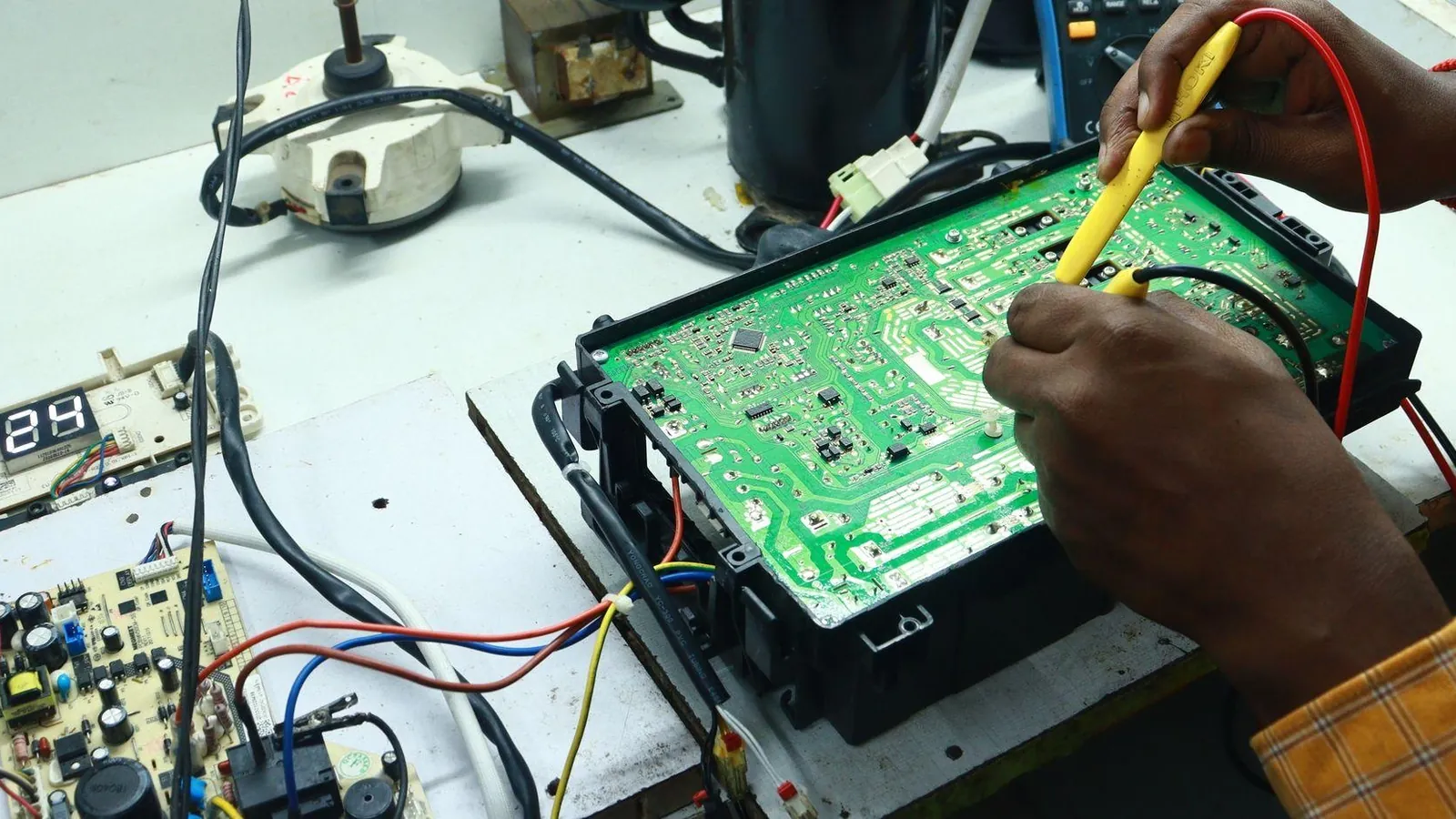
About nine out of ten times a mini split stops responding to its remote, the fix is something you can handle at home: fresh batteries, a locked setting, or a blocked signal path. This guide walks through every check in order, from the remote in your hand to the control board inside the indoor unit, so you can identify the problem and decide whether you need a technician.
Key Takeaways
-
Most problems where a mini split is not responding to the remote can come down to dead batteries, lock modes or issues with the line of sight between the remote and the IR sensor on the indoor unit.
-
You can test whether the remote sends a signal by pointing it at a smartphone camera and pressing a button. With a smartphone camera pointed at the remote, you can see a flickering white or pink light on the screen that might tell you the IR LED is working.
-
When the remote sends a signal but the indoor unit won't respond to it, the problem can usually be the IR sensor board or the main PCB inside the indoor unit.
-
Always check that the system has power at the breaker and outdoor disconnect before you start troubleshooting the remote.
-
Stop doing the work yourself and call an HVAC technician if you see frequent breaker trips, smell burned wiring or suspect a refrigerant problem or a problem at the board level.
How Mini Split Remotes Talk to the Indoor Unit
Most ductless system remotes use infrared light, not radio waves. A small LED at the top of the remote sends coded IR bursts toward the sensor "eye" on the indoor unit, which is that dark plastic window on the front panel. The sensor passes the signal to the main control board after it is read, and then it changes the mode, set temperature or fan speed. A wall thermostat is wired directly into the system, but an IR remote needs a clear line of sight to work. Wi-Fi modules and phone app controls still send commands through the same indoor unit electronics. They just skip the IR path. On some brands, error codes only show up on the indoor unit's display or as LED flash patterns, not on the remote screen, so always watch the indoor unit when you press buttons.
Is It the Remote or the Unit?
Stand 6 to 10 feet from the indoor unit, point the remote directly at the sensor window, and press Power. Then try Mode and the temperature buttons while you watch for any beep, LED change or vent movement. Even if the unit beeps or flashes once, the remote is at least partly working, and the issue may be settings or a system fault rather than total communication failure.
If you get zero response from any button, the remote may be dead, the IR sensor may have failed, or the unit has lost power. Use the manual override button on the indoor unit (it's often behind the front cover on the right side) to figure out if the issue is with the remote. From that button, if the unit starts, the problem is isolated to the remote or sensor path, not the whole mini split.
Remote Control Basics: Batteries, Orientation and Lock Icons
Many calls about a mini split not responding to the remote end with you changing two AAA batteries. Weak or dead batteries are a common issue, and they account for most service calls that never needed a technician.
-
Replace both batteries with fresh alkaline cells, matching plus and minus correctly. If the remote still doesn't work after that, inspect the battery contacts for corrosion and clean any white buildup or rust with a pencil eraser.
-
After you put in new batteries, reset the remote using the reset button inside the battery compartment (it's a small hole on many models).
-
Test the remote with a phone camera: aim the IR LED at your smartphone camera, press any button and look for a flickering white or pink light on the screen. A remote can look like it's working (the screen lights up, buttons click) but fail to send signals if the IR LED has died.
-
How far should you be from the indoor unit when you use the remote? You should stand within 10 to 25 feet. Remove anything that might block the infrared signal, and clear the line of sight between the remote and the sensor on the indoor unit. Bright sunlight hitting the sensor window can also wash out the IR signal.
-
Check if the remote is set to the correct mode. Look for a key icon (lock), child-lock, "HOLD," or "FIX" mark on the screen, because these block commands without any warning. Your owner's manual lists the combination to open it, which is often holding Mode and "+" for 3 to 5 seconds.
Check Mini Split Power and Indoor Unit Status
The indoor unit has to have power before it can see IR commands. A dead breaker or open disconnect makes the whole system look like a remote problem.
Check your electrical panel for the breaker labeled for the mini split (it's often 15 to 30A, 240V). A tripped breaker can cut power to the compressor and the indoor unit's control board. If it's tripped, turn it fully off, then back on once. Don't keep resetting if it trips again. Some systems also have an outdoor disconnect or pull-out near the condenser. The handle must be fully inserted.
After restoring power, listen for any quiet fan, relay click or standby beep from the indoor unit. Check for signs of an internal fault with indicator lights on the indoor unit. Most models show a small standby LED even when it's off by remote. On 230V systems (many Pioneer units, for example), technicians confirm 208 to 253 VAC across L1-L2 at the outdoor unit and the same reading across terminals 2 and 3 on both units, but homeowners shouldn't open live panels unless they know how to use a multimeter safely.
If the breaker trips again right away, or you smell burnt plastic or wiring at either unit, stop. Electrical issues need a licensed HVAC technician. Forcing power on risks permanent damage to inverter boards and compressors.
Reset the Mini Split and Clear Remote Glitches
-
Remove the batteries from the remote. Press the Power button several times with no batteries in to drain stored charge. You will wait 5 to 10 minutes before restoring power to the mini split after you turn it off for a reset.
-
Shut off the mini split's breaker or outdoor disconnect for at least 30 to 60 seconds. Power cycle the indoor unit to clear temporary problems.
-
Restore power at the breaker first. Wait until the indoor unit lights stop flashing and settle into standby.
-
Reinstall fresh batteries in the remote. You can test the Power button from close range.
Try the manual ON/OFF button on the indoor unit's casing to prove it can start at all. If it runs from the button but not the remote, the issue is in the remote or sensor path. Watch the indoor unit closely during reset. Some models briefly show error codes or flash patterns on power-up. Write down any letter or number code.
Remote Works but Indoor Unit Won't Respond
This scenario usually points to a failed IR receiver board, a loose or oxidized receiver ribbon cable, or a main PCB problem. The IR receiver board may fail after cleaning or due to oxidation. Dead insects or condensation from a clogged drain can corrode the receiver board and cable over time. Water getting in from heavy indoor humidity is a common culprit.
With power off, you can remove the front grille and look for obviously loose plugs between the receiver and main board. Gently re-seat them without bending pins. If there is no change, or if the indoor unit ignores both the remote and the manual ON/OFF button, the main control board has likely failed. Control board replacement usually runs $300 to $800 including parts and labor. For just the part, a replacement IR receiver module alone is often $10 to $25. Either way, a technician will need to test and replace these safely.
Error Codes, Brand Quirks and What to Check
Sometimes the mini split isn't ignoring your remote. It received the command fine but is refusing to run because it has latched an error code. Look for letters, numbers or repeated blink patterns on the indoor unit display after you press the remote.
A few brand-specific examples:
-
On Fujitsu units with a wireless remote, errors come out as flash counts on the green Operation and orange Timer lamps. A wired remote shows the text code directly.
-
On Hisense inverter splits, you read stored codes by pressing the remote's Sleep button 10 times within 10 seconds. The display board's 7-segment readout then shows the code.
-
On classic-code Midea-built units, EC means refrigerant leak detected and P3 is the low outdoor temperature heating cutoff, not a remote or indoor unit failure. Refrigerant leaks can trigger a safety shutdown of the compressor.
-
When the display shows a garbled or undefined code, MRCOOL says to test with the remote: no response means the indoor PCB needs replacing, and a response means the display board does.
In Fan-Only or Dry mode, a faulty thermostat setting can stop the compressor from running, so confirm you're not stuck there. Capacitor failure can prevent the compressor motor from starting, producing a hum but no cooling or heat. Check your specific owner's manual or an online error code lookup tool to match codes to causes.
When to Call a Technician for Help
- Repeated breaker trips or burning smells
Only certified technicians can legally handle refrigerant leaks (EPA 608 certification required). Compressor replacement needs professional tools and expertise that go beyond a homeowner's basic tool kit. A weak signal from the remote is one thing, and a failed inverter board is another.
When you schedule a service call, tell the technician what you observed: remote test results, any error codes or blink patterns, and whether the indoor unit responds to the manual button. That information helps them bring the right parts.
FAQ Mini Split Not Responding to Remote
Can I use a universal remote if my original mini split remote is dead?
Many ductless mini splits work with inexpensive universal AC remotes that cost $15 to $40 and support code lists for major brands. Confirm the universal remote supports your brand and model family, then follow the pairing instructions until the indoor unit beeps. Advanced features like special sleep curves, service test modes or Wi-Fi setup may still need the original remote or the manufacturer's phone app. OEM replacement remotes usually run $25 to $80.
Why does the unit beep but not change temperature or mode?
A beep means the indoor unit is receiving the IR signal, but it may be refusing the command. The system might be in Fan-Only or Dry mode, the set temperature may be too close to the current room temperature for cooling or heat to kick in, or an active fault code is blocking operation. Power-cycle the system and try a simple mode (Cool at 68 to 70°F) to see if the settings were confusing the control board.
My mini split runs from the wall app or Wi-Fi but ignores the handheld remote. What does that mean?
If a phone app or wired controller can start the unit, the indoor unit's main PCB and power supply are fine. This narrows the fault to the handheld remote, the IR sensor board or the wiring between the sensor and PCB. Try a replacement remote first (original or universal). If the unit still doesn't respond, a technician should test or replace the indoor IR sensor module.
Is it safe to open the indoor unit to check the IR receiver?
Turning off power at the breaker and removing only the plastic front cover to inspect for loose low-voltage plugs is generally safe. Don't touch bare circuit traces, probe components with metal tools, or work with power on. Inverter boards can hold stored energy. If anything inside looks burnt, wet or corroded, call a technician instead of trying to repair it at home.
Could a bad remote or receiver damage the mini split?
A failed remote or IR sensor simply means the indoor unit doesn't see your commands. It rarely causes direct permanent damage. The real risk comes from repeatedly flipping breakers, forcing starts when error codes are active, or bypassing safety switches. Limit resets, capture any codes you see, and contact a service professional if the unit still won't respond after the steps in this article.
Figures and specs above are as published in October 2026 and may change. Your own unit's installation manual and local code take precedence. Brand names are trademarks of their respective owners, and this site is not affiliated with them.